Non-UH Faculty Quick Start Guide
The University of Houston welcomes collaboration with faculty from other institutions to support research, teaching, and academic partnerships. This guide provides essential information on how non-UH faculty can securely access Microsoft 365 tools, including Teams, OneDrive, and SharePoint, to work seamlessly with UH colleagues.
Your Access as a Non-UH Faculty
To collaborate with the University of Houston and gain access to UH systems, non-UH faculty members must complete an Electronic Person of Interest (ePOI) form. This process enables external faculty to securely access essential systems such as Canvas, traditional file shares, a CougarNet account, and Microsoft 365.
- Submit the ePOI Form: ePOI Application Form
- Learn More About ePOI: ePOI Information & Procedures
For further assistance, contact the IT Support Center at 713-743-1411, chat with a Live Agent, or email uitsupport@uh.edu.
Multi-Factor Authentication (MFA)
MFA adds an extra layer of security when you log into your account. You log in with something you know (your password) and something you have (your phone). MFA is one of the most effective ways to protect accounts and is easy to use.
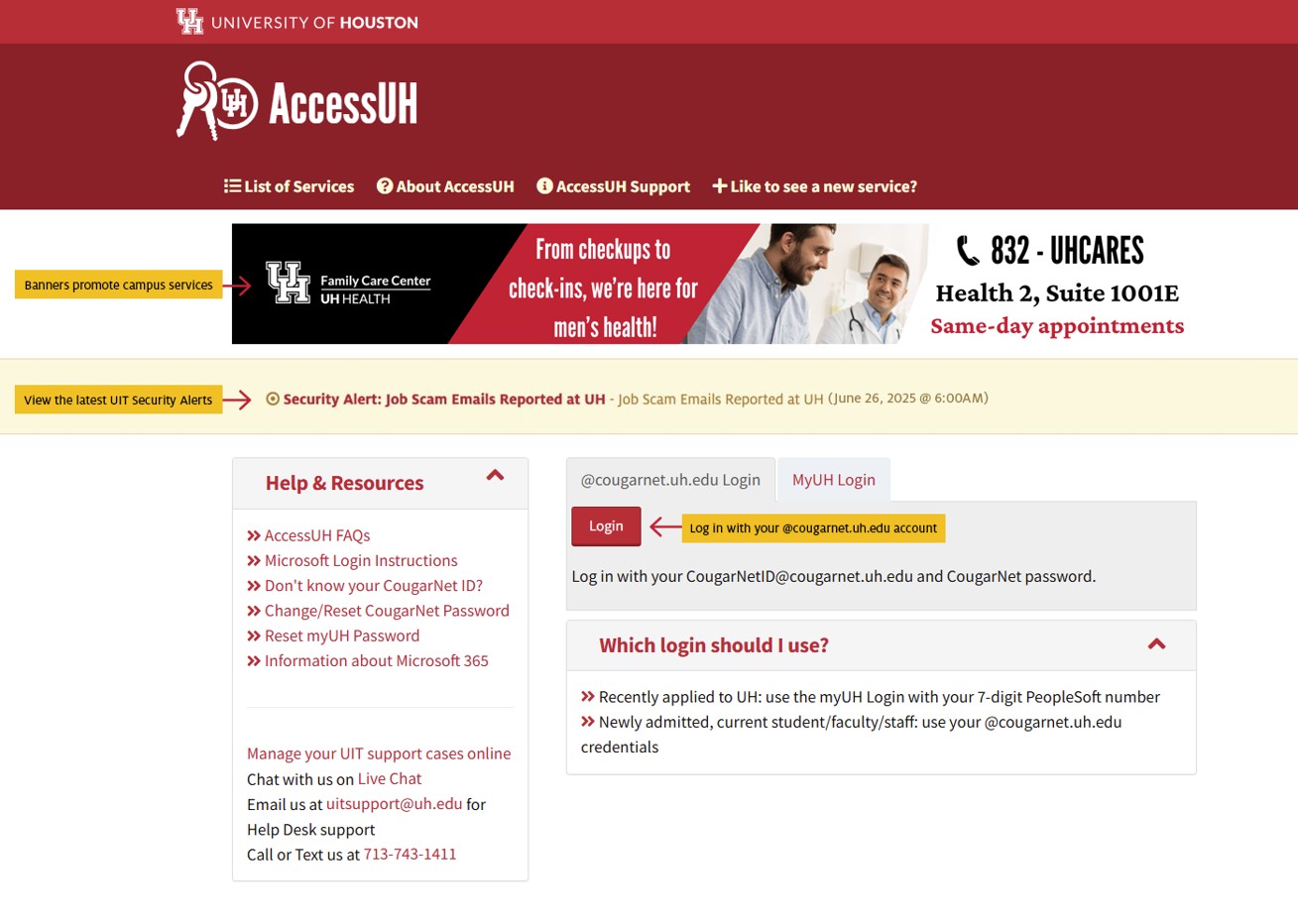
Logging into AccessUH
AccessUH is your gateway to the University of Houston's information and computing resources. Log into AccessUH with your Microsoft 365 credentials to access systems such as myUH, Canvas, parking, housing, and more.

Classroom Technology & Equipment Support
UIT has upgraded technology in many classrooms to support Multimodal (formerly HyFlex) teaching. These classrooms support both in-person instruction and simultaneous online teaching.
You can also get support for general purpose classrooms and borrow multimedia equipment for lectures.
Learn more about Multimodal Classroom Support and equipment resources >>
Getting the Most out of Wi-Fi
UH provides high-speed Wi-Fi in classrooms, libraries, and throughout most of campus. UIT recommends connecting to the UHSecure wireless network. Learn how you can improve your Wi-Fi experience.
Easily Record and Archive Your Lectures
Mediasite is a lecture-capture system that allows instructors to record everything they say, do, and present in the classroom.
Find out more about Mediasite >>
Microsoft Teams
Microsoft Teams is a workspace for real-time collaboration, meetings, file sharing, and more. When you create a Team, you are also creating a Group.
Learn more about Microsoft Teams >>
Frequently Asked Questions
Common questions about collaborating with UH as a non-UH faculty member.
ePOI
- Where can I find the ePOI form?
- Who do I send the ePOI form to?
- How long does it take for an ePOI to be approved?
- What is the expiration date for using UH resources?
Canvas
Microsoft 365 & OneDrive
- How do I log into UH Microsoft 365?
- How do I upload files or folders to OneDrive?
- How do I share a file or folder in OneDrive?
- How do I share OneDrive files in Canvas?
- How do I share a file or folder in SharePoint?
Microsoft Teams
- How do I request a Canvas/Teams course?
- How do I access my class Teams?
- How do I create breakout rooms in Teams?
- Do guests need Microsoft Teams installed to join a meeting?
- How do I enable the waiting room in Microsoft Teams?
- How do I prerecord a lecture in Teams?
- How do I schedule a class Teams meeting?
- How do I share a Teams meeting recording with students?
- How do I create Teams channels for group work?
- How do I create a Team code for students?
- How do I mute student comments in a class Team?
Dropbox Alternatives
- What are some alternatives to Dropbox?
- What are the advantages and disadvantages of Dropbox alternatives?
Additional Collaboration Resources
- Canvas Course Modules: Access Canvas Modules
- UH IT Support & Knowledge Base: Get Help – FAQ Search
- Microsoft 365 Help Center: support.microsoft.com
Contact Us
We are here to support you. We offer walk-up support in the Tech Commons, as well as phone, email, and live chat support. Learn more about how you can reach us.
Follow UIT on social media for news and service-related announcements:
- X: uhit
- Instagram: uhoustonit
- Facebook: uhoustonit